
When you visit your Redeem Products page, you'll see a list of your past purchases along with:
1. Order Amount
2. Points Required for Full Cashback
3. Your Current Points
4. A "Redeem" link/button (if you're eligible)
If you have enough points, you can redeem the full order amount directly back to your Salesexpert.me funds balance.
Here’s a screenshot of how the redeem section looks:
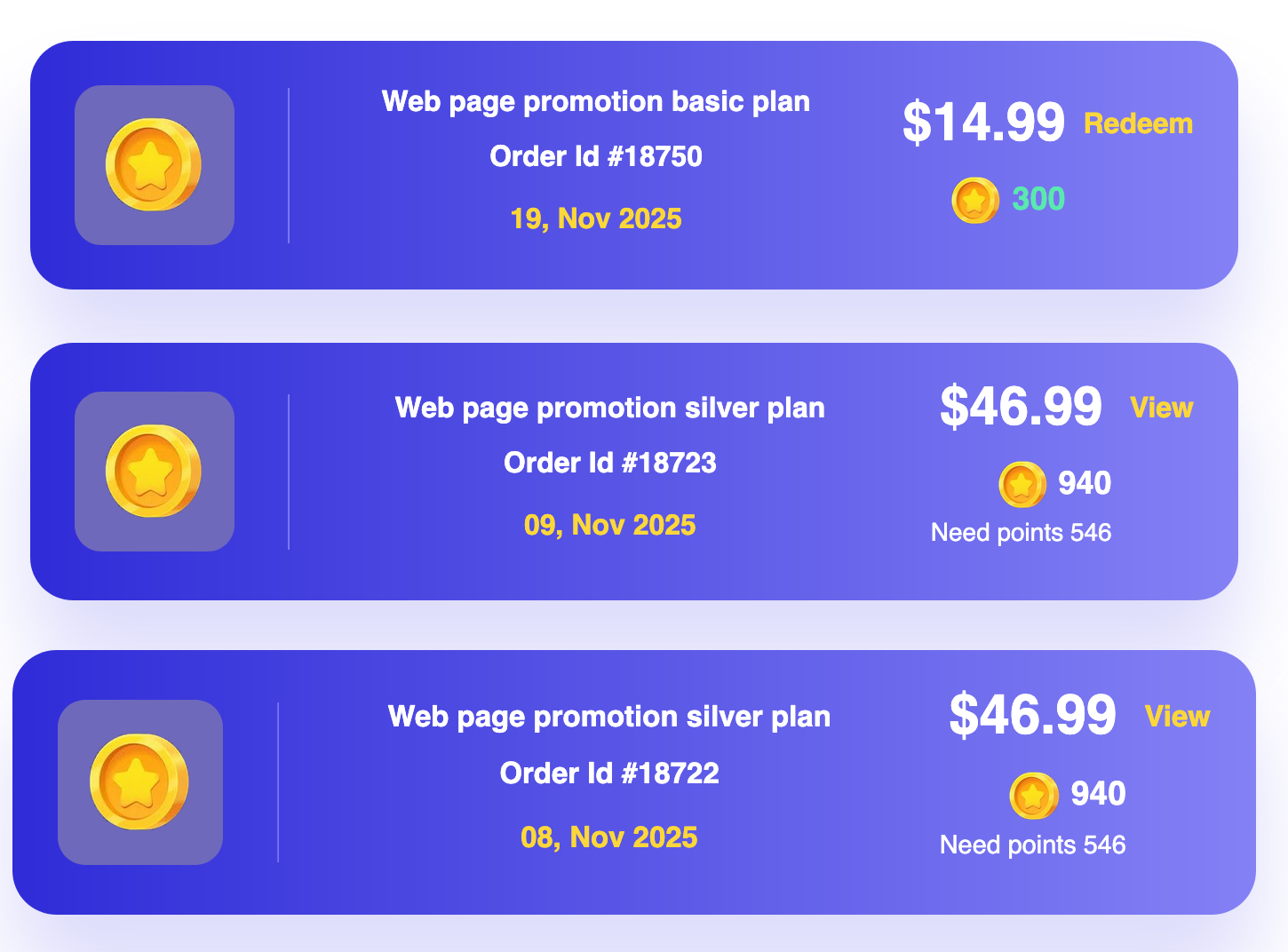
1. You purchased the Web Page Promotion Basic Plan for $14.99
2. You need 300 points to redeem it
3. If you have 300 points, click “Redeem” — and $14.99 will be added to your fund balance
1. You purchased the Silver Plan for $46.99
2. It requires 940 points
3. If you only have 394 points, it will show how many more points are needed (e.g., “Need 546 points”)
4. Once you accumulate enough, you can redeem it too!
This system turns your old purchases into future credit, helping you get more leads — without extra spend!